Windows Explorer kept crashing while I tested gestures on my tablet. We widened the dead zone around the screen’s edges. We blocked scroll events aimed at shell windows. Explorer kept crashing.
I was building PromptCast, a tool that puts my Windows desktop on an Android tablet and flips the picture for teleprompter glass. I wanted to read notes on a call while looking into the camera. The project had grown to include touch input, a microphone, and dictation. An AI coding agent wrote nearly all the implementation. I directed the work and tested it on my hardware.
My professional background is mostly in web development. Working with an AI coding agent made building PromptCast much easier and quicker.
What does my engineering experience contribute when an agent writes the implementation?
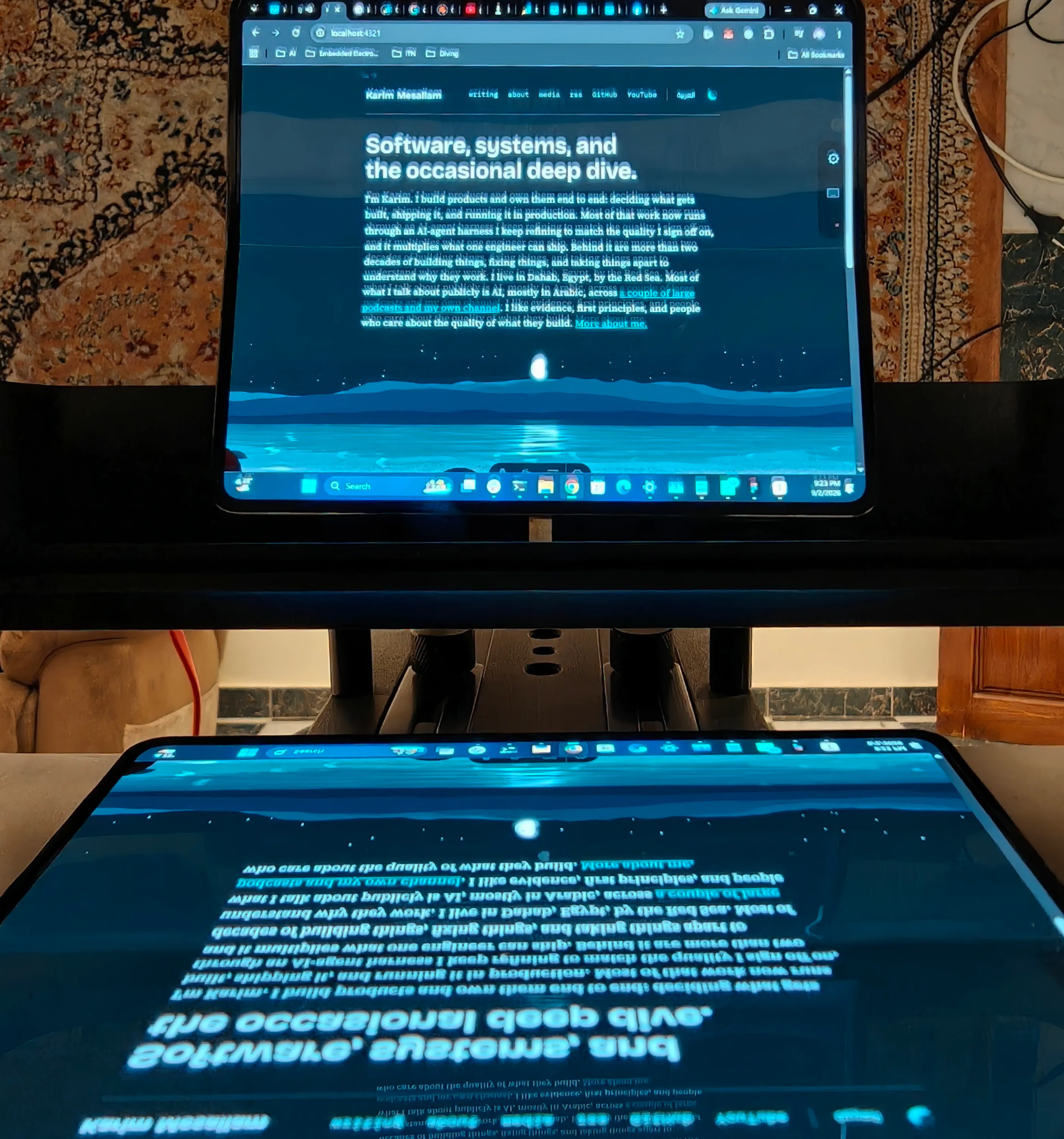
The first version came together in a couple of days. That part was exciting. Having Windows Explorer crash while I used it was a reason to slow down and investigate.
The touch theory made sense: crashes often happened while I was swiping near the edges. But the changes based on that theory hadn’t stopped them. I needed an observation that could tell us what to investigate next.
I’d frame that request like this:
the touch changes haven't stopped the crash.

log what our app does before explorer restarts.
save the events around each failure so we can compare them before changing anything else.
I asked for a rolling input log and a check for Explorer restarting. The next two saved logs showed ordinary gestures. Both also showed our app dismissing the Windows touch keyboard roughly three seconds before the crash.
Our keyboard feature was terminating that process so it could show its own keyboard. We changed it to close the keyboard window while leaving the process alive. The Explorer crashes stopped in my testing.
The log changed the next fix
The first theory
- Touch gestures cause itSuspected from when it crashed
- Change touch handlingWider dead zone, blocked scrolls
- Explorer still crashesThe changes did not resolve it
The useful observation
- Record events before itCompare the saved logs
- Keyboard process endedBefore the crash in both saved logs
- Close only its windowLeave the process alive
- Crashes stop in testingCheck on the actual hardware
The agent built the logging and helped work through the output. It also implemented the fix. My contribution was recognizing that the evidence we had wasn’t answering the question. I could keep asking for another patch, or ask for a way to see more of the failure.
I’d had to change how we gathered evidence for PromptCast’s clicking microphone too. Roughly six attempts hadn’t removed the clicks. I asked Fable, the coding agent, to stop guessing and build a testing interface so I could record my own voice through PromptCast, from the tablet microphone to Windows, for analysis.
I remarked that the clicks sounded equally spaced. Fable checked the recording and confirmed my observation. That let us rule out the connection as the cause: network trouble would produce irregular gaps. The equal intervals pointed us towards a clock or sample-rate problem. I’ve described the rest in the PromptCast post.
That is the part of working with AI I want to get better at. A coding agent can carry out a substantial investigation. I need to be able to judge whether the investigation is useful and whether its result answers the problem I started with.
In June 2026, Anthropic analyzed about 400,000 interactive Claude Code sessions. People usually made most planning decisions, while the agent made most execution decisions. Greater apparent task expertise was associated with more successful sessions. The researchers inferred both expertise and success from transcripts; they could not observe whether the software worked later in production.
That finding makes me interested in what a person brings to a task. Familiarity with the framework helps. So does knowing what the person using the software is trying to do, or recognizing when a measurement leaves out the part of the system that is failing. An agent can help develop that understanding and challenge it.
For PromptCast, even the direction of the video stream mattered. I needed Windows sent to Android. A tool that mirrored Android to Windows could support horizontal flipping and still solve the wrong problem. I corrected that distinction in the original write-up after overstating what an existing tool could do.
A brief for the original idea could have been:
i want to read my notes on a call while looking into the camera.

use my windows desktop as the source and my android tablet under the prompter glass.
the reflected text needs to be readable.

check whether an existing tool can do this before proposing something we need to build.
That describes the use and the constraints. The agent has room to research options and choose an implementation. I have something to check its proposal against. If the recommendation sends video in the wrong direction, I can reject it before there is an application to debug.
Once work starts, I want a short route from an unexpected result back to an observation we can use. The workflow I would practice looks like this:
Bring the result back into the task
- Describe the resultThe use, constraints, and checks
- Let the agent workInvestigate, implement, run checks
- Inspect the evidenceDoes the behavior match the need?
Unexpected result?Bring the new evidence into the next attempt.
The checks need to reach the behavior that matters. PromptCast’s Android build ran unit tests for things such as keyboard geometry and protocol framing. The Explorer investigation needed event logs and testing on my devices. The microphone problems needed a recording. Each check answered a different question.
For another project, that evidence might be an interaction with a keyboard instead of a mouse, a database state after a retry, or a load test against the suspected bottleneck. The agent can build the test. Someone still has to decide whether passing it establishes the behavior users need. Tests written from the same mistaken assumption as the implementation can agree with it perfectly.
I would give the agent enough access to complete that work in a suitable environment. A test database can support an investigation without production credentials. A change with wider consequences needs an appropriate release and recovery process. The scope of delegation should make those boundaries clear.
I also want to measure the work around the first patch. Microsoft Research’s field experiments found about 26% more completed tasks across 4,867 developers. METR’s early-2025 experiment and February 2026 follow-up tell a more difficult story: the original participants took 19% longer with AI, while selection and timing problems made the follow-up unreliable. Different tasks and tools produced different findings.
I haven’t measured a comparison for PromptCast. A couple of days to a first version tells me when I could start trying it. A useful productivity comparison would also count the investigation, review, and repair needed before I could keep using it.
Delegating implementation also changes the opportunities I have to practice. In a randomized study of 52 developers learning an unfamiliar asynchronous Python library, the AI-assisted group scored 4.15 points lower on a 27-point immediate assessment. Average completion-time improvement was not statistically significant. The experiment measured understanding immediately after a specific learning task.
It gives me a reason to spend time understanding an unfamiliar change after it is implemented. I’d ask the agent to walk through the change and the evidence for it:
explain why this fix works.

show me what the old code did, what changed, and how that addresses the failure.
point to the relevant code and the evidence from testing.

what are we still assuming that we haven't verified?
For the Explorer fix, I want to understand why closing a window differs from terminating its process. I’d read the relevant code alongside the explanation, then check the claimed result against the saved logs and device testing. If a step is unclear, that gives me a specific mechanism to study.
A useful thing to carry into the next task is the question that made this one move. It may deserve a test, a note beside the code, or a reusable skill if the procedure keeps recurring. I’d keep it specific enough that another engineer can tell when it applies.
My tablet still sits under the glass while I use the desktop. The agent wrote the software that makes that possible. When a new problem appears, I want to be able to describe what I saw, choose where to observe it, and give the next attempt better evidence than the last one had.