Building the mirror I needed
I wanted a mirrored Windows desktop on an Android tablet. Building it led to a clicking microphone, a crashing shell, and a closer look at how I debug with AI.
I’m on a call, reading notes from a screen lying in front of the camera. A sheet of angled glass reflects the screen towards me while the camera looks through it. I can read and look into the lens at the same time, provided the text on the screen is flipped horizontally. Without that flip, the reflection is backwards.
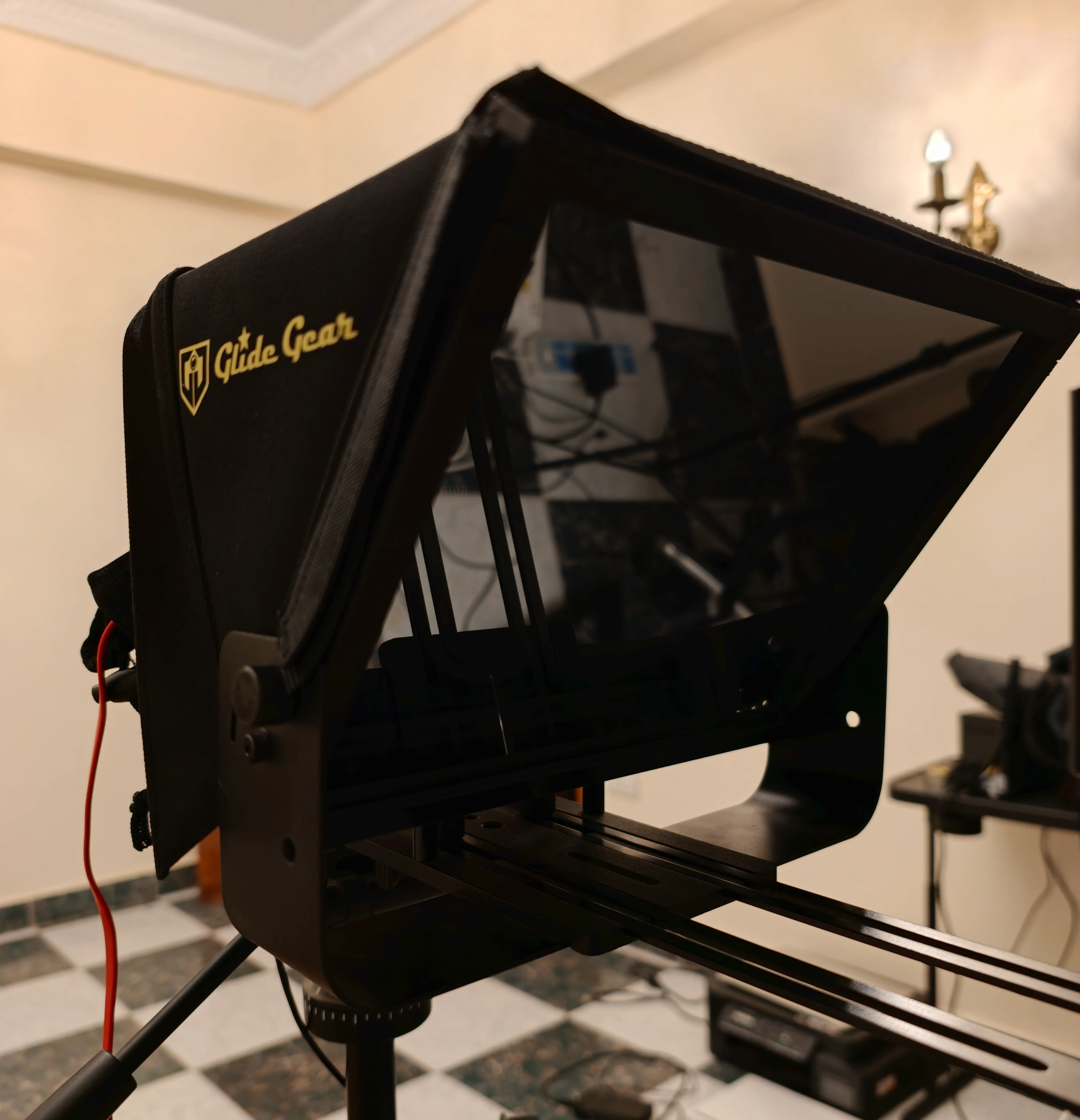
I wanted the Windows desktop streamed live to an Android screen and mirrored there. I assumed a remote-desktop app would have a checkbox for it.
Claude Fable 5 did most of the research and nearly all the implementation that followed, including the debugging tools. I directed the work and tested it on my hardware. The first version came together in a couple of days. Getting it to behave on real calls took more than checking that a picture appeared.
Finding the right kind of mirror#
We looked at UltraVNC, RealVNC, TeamViewer, and AnyDesk. I hadn’t found a setup that met my requirement. A PowerToys request from 2021 described the same distinction between rotating a display and flipping it for teleprompter glass. The issue was closed with a referral to Feedback Hub.
The first version of this article overstated that search. It said scrcpy couldn’t flip an image and that no software did what I wanted. Its current documentation explicitly supports horizontal flipping with --orientation=flip0. The teleprompter issue I had linked is also closed. Scrcpy mirrors Android to a computer; I needed Windows to Android. That direction was the relevant limitation for my setup.
I needed whatever was open on the desktop: a shared slide during a call, my notes, or another window I switched to halfway through. A script-scrolling app would only cover part of that use. I’d also looked at dedicated prompter hardware and whether my ATEM Mini Extreme could help. By then I wanted to try building around the screen I already had.
The requirement was a second Windows display on the tablet, with the final image flipped before it reached the glass. The flip could happen in the Android client. It didn’t have to be a Windows display setting.
One connection, then more features#
The plan was a Windows host that captured a display, encoded it, and sent it across the LAN to an Android app. The app would decode the video, flip it, and display it full-screen beneath the glass.
Once video worked, I wanted touch and keyboard input travelling back to the PC. That made the tablet useful as an input device too. Then I wanted its microphone available to Windows, followed by dictation into whichever window had focus. I could try each feature using the connection we’d already built, and I kept saying yes to the next one.
The first wave, including video, touch, the microphone, and dictation, landed within a couple of days. The host and client used a small protocol: one byte for message type, four bytes for payload length, then the payload. We used JSON for occasional control messages and raw bytes for frequent touch and audio messages. I wanted additive changes that kept older clients compatible.
Video used a virtual display driver, GPU encoding with HEVC where supported, and Android decoding. We tuned it until touching the tablet felt responsive to me. I don’t have a latency comparison to attach to that impression. The harder problems appeared when I started using the extra features.
The clicking microphone#
The microphone sent audio from the tablet through a virtual audio cable on the PC, where a call or recording application could use it. It worked within about a day, but the recordings had gaps and clicks.
The first version had no jitter buffer. Audio arrived in network bursts while playback needed a steady supply. We added an adaptive buffer that grew during rough stretches and shrank when the connection settled. That reduced the stutter, but the playback-speed control measured the wrong amount of buffered audio and began oscillating. We corrected that too.
There were still holes in recordings even when the host reported zero underruns. On the Samsung device I was testing, VOICE_COMMUNICATION gated the microphone into silence. Changing to VOICE_RECOGNITION exposed another problem: that device’s processing distorted the signal.
We added a fallback sequence that accepted an audio source only after it initialized and entered the recording state. It tried unprocessed audio where supported, then the microphone source, before the voice-specific options. We stopped attaching audio effects. Those changes addressed the capture problems we were seeing on the phone.
The host also had a timing problem. Its polling loop could miss a short starvation between 20 ms wakeups. We replaced it with event-driven rendering: Windows signalled when it needed the next audio period, and the sink filled that period with available audio or faded towards silence. The fade used a 10 ms raised-cosine ramp:
constexpr int kFade = kRate / 100;  // 10ms raised-cosine ramps
int gainPhase = 0;                  // 0 = silent .. kFade = unity
auto gain = [&](int p) { return 0.5 * (1.0 - cos(kPi * p / kFade)); };
That smoothed the abrupt transitions that can produce clicks when audio cuts off. It improved the render path, but the clicks remained.
After roughly six attempts, I asked Fable to stop guessing and build a testing interface so I could record my own voice through PromptCast, from the tablet microphone to Windows, for forensic analysis. I used it to record thirty seconds of output as a WAV file.
I remarked that the clicks sounded equally spaced. Fable checked the recording and confirmed the spacing, ruling out the connection as the cause: connection trouble would produce irregular gaps, not evenly spaced clicks. The analysis also found sharp changes around ten times the local noise floor at the clicks. The equal intervals pointed to a clock or sample-rate problem, so we compared the recorded output with the arriving audio.
The clicks were absent from the arriving stream. The comparison pointed downstream to the virtual cable, whose render endpoint was set to 48 kHz while its capture endpoint was at 44.1 kHz. In this setup, samples were being dropped between the mismatched endpoints, producing the regularly spaced splices we’d found in the waveform.
We set the capture format through IPolicyConfig::SetDeviceFormat. Earlier registry changes hadn’t survived Windows rebuilding the audio endpoint. This change stuck, and the clicks stopped in my recordings. The installer now applies the format correction too.
We had fixed other problems along the way. The surviving clicks needed a comparison across the cable, because the host’s own counters couldn’t show what happened after audio left it.
The crashing shell#
Then Windows Explorer started crashing, often while I was swiping near the screen’s edges. I was testing gestures as changes arrived. The Windows event log showed an access violation in twinui.pcshell.dll at the same offset eight times in a row.
That gave us a consistent failure signature, but it didn’t identify the trigger. Three of the crashes occurred within six minutes:
2026-08-31 07:05:30  Faulting application: Explorer.EXE
  Faulting module: twinui.pcshell.dll, version 10.0.26100.9278
  Exception code: 0xc0000005, fault offset: 0x00000000002bf184
2026-08-31 07:08:38  Faulting application: Explorer.EXE
  Faulting module: twinui.pcshell.dll, version 10.0.26100.9278
  Exception code: 0xc0000005, fault offset: 0x00000000002bf184
2026-08-31 07:10:55  Faulting application: Explorer.EXE
  Faulting module: twinui.pcshell.dll, version 10.0.26100.9278
  Exception code: 0xc0000005, fault offset: 0x00000000002bf184
The first theory was that injected touch near the border was triggering Windows’ edge-swipe handling. We widened the dead zone and blocked wheel events from reaching shell-owned windows. Explorer kept crashing.
I asked for a rolling log of every injected touch frame and a thread that checked Explorer’s process ID once a second. If Explorer restarted, the host would save the five seconds of input before it died.
The next two dumps showed ordinary gestures: a tap and a short two-finger movement. Both also contained the same line roughly three seconds before the crash: “dismissed Windows touch keyboard.”
That line came from our keyboard feature. When Windows tried to show its touch keyboard, we terminated the keyboard process so PromptCast could raise its own. The recordings tied those terminations to the later shell crashes. We’d been looking at touch coordinates while our own code was ending a process the shell was using.
The fix was to send the keyboard window WM_SYSCOMMAND with SC_CLOSE. That hid the window while leaving its process alive. The Explorer crashes stopped in my testing.
This time the useful record was a timeline: what our application did before another process failed. The event log told us where Explorer crashed; the new log showed which action to investigate.
How the work was shared#
Fable implemented the protocol, video encoding and decoding, keyboard, audio pipeline, and the tools we used to investigate both faults. That made the pace possible. My part was deciding what to try, testing on devices and calls, and supplying information the agent didn’t have.
One correction was as small as “I’m currently actually testing on the fold.” Early microphone debugging had drifted towards the wrong phone. Naming the device put that work back in the right context.
When the fixes still didn’t remove the clicks, I asked for analysis of a recording I would make. When the touch changes didn’t stop Explorer crashing, I asked for logging around the failure. Fable could build those tools and work through their output; I needed to notice that the current evidence wasn’t answering the question.
Owning the connection between the devices made each extra feature cheap to try. It also gave me more behavior to test and maintain.
What I use it for#
The tablet still sits under the beam-splitter glass, showing the Windows display with the horizontal flip applied. I can move between call windows and notes without moving them into a dedicated prompting app.
The custom keyboard appears when I tap into a text field. Holding its microphone key starts dictation; sliding upwards locks recording so I can take my finger off it. A second tap ends the recording and inserts the transcript into the focused window using a local Whisper model. The microphone indicator responds to voice level in red and turns blue during a dictation recording, so I can tell which audio mode is active.
Two-finger scrolling produces mouse-wheel events, and double-tap-and-drag selects text. Those gestures let me work in the terminals I use even when their touch support doesn’t do what I need.
The Android build runs nineteen unit tests covering keyboard geometry, protocol framing, and dictation gestures before packaging the app. They catch mistakes such as key labels overflowing their caps. The microphone and Explorer investigations also needed recordings and testing on the actual devices; those unit tests couldn’t establish that the whole system worked.
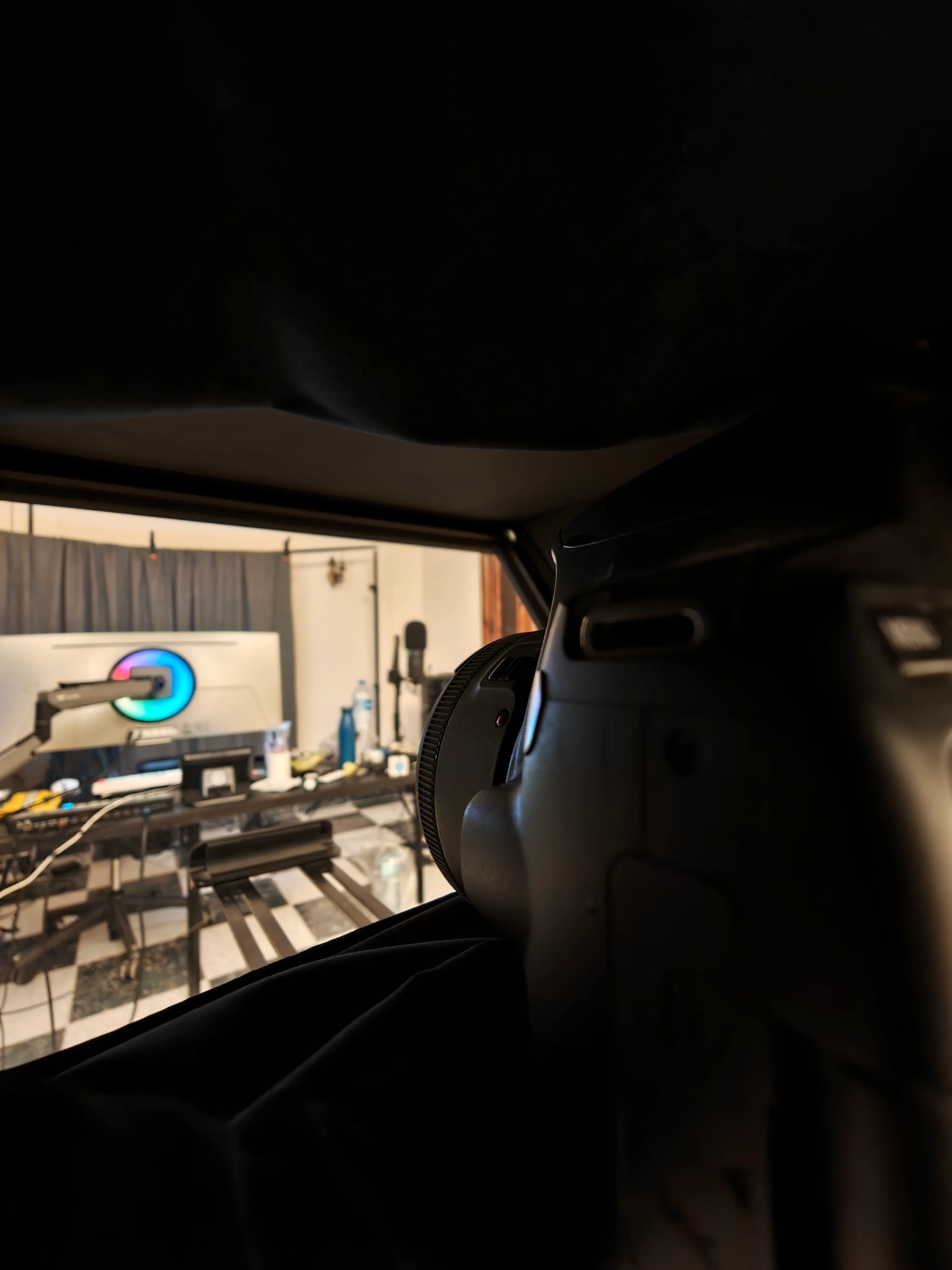
I’ve livestreamed with a rougher setup before. When I first wrote this, I was waiting for a new tablet and wanted to try PromptCast for streaming to an audience as well as for meetings.
I started by wanting a readable reflection on a call. The waveform and the input log were what let me keep using the features that grew around it.
More about how I work. The newsletter below sends new write-ups to your inbox.
Revision note: Clarified my request for a recording interface and that I noticed the clicks' equal spacing by ear before Fable confirmed it.